Apple Music Album Motion Artwork: Tech Specifications
Apple Music Album Motion artwork is made up of two videos. Both files must meet Apple’s technical requirements below and be exactly the same duration.
| File Name | Resolution | Codec | File Type | Audio | Length | Device |
|---|---|---|---|---|---|---|
| Album Page Motion 3×4 | 2048 x 2732 pixels | H.264 or Apple ProRes 422 / 4444 | .mp4 or .mov | Deliver without an audio track | 8-35 seconds | iPhone, Android |
| Album Page Motion 1×1 | 3840 x 3840 pixels | H.264 or Apple ProRes 422 / 4444 | .mp4 or .mov | Deliver without an audio track | 8-35 seconds | Mac, iPad, smart TVs |
Both videos MUST be these requirements and be the same duration.
Additional Technical Requirements
- Pixel aspect ratio must be 1:1 (square pixels).
- Bitrate must be between 45 Mbps and 100 Mbps.
- Supported frame rates: 23.976, 24, 25, 29.97, or 30 fps.
- Colour profile should be Rec 709 or sRGB.
Planning Your Artwork
When you are creating your static original artwork, think about where you will place the artist name, logo, release title etc.
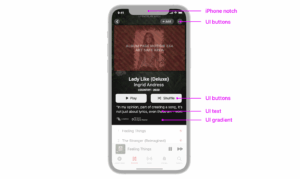
Why: The Album Page Motion 3×4 file includes Apple Music UI elements that sit on top of your visual. Apple’s downloadable templates include a safe area guide you can toggle on and off to check your artwork placement. Keep all essential elements within this safe area so they do not intersect with the iPhone notch, UI text, buttons, or gradients.
Album Motion 3×4 Safe Area Example
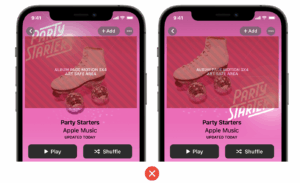
Keep essential elements within the safe area so they don’t intersect with the iPhone notch, UI text, buttons, and gradient. The essential elements could be typography, key element placement, or logos.
When you create Apple Music Album Motion artwork with VideoSuite (powered by Rotor Videos) you can create unlimited drafts without purchase. This lets you check drafts first and make sure your visuals meet Apple’s standards and look polished every time.
Before you pay for a final version, always review the 3×4 file to make sure text and logos sit comfortably inside the safe area.
Other Key Design Requirements
1. The Art
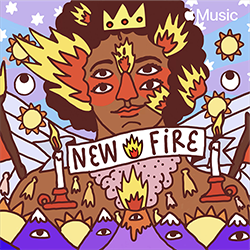
Your Apple Music album page is a dedicated space to feature your unique album cover art. Continuity between your album cover and motion art is critical for a great user experience. Follow these guidelines below to deliver motion art that takes your album art to the next level.
Motion Art
Static Art
Accuracy
The motion art should be based on the album cover art. Any motion you use must remain focused on the album cover art for the full duration of the animation. Motion cannot include cuts to other images in the edit.
Start Frame
The first frame of your album animation should match your album cover artwork. In slow connection or no internet scenarios, the first frame could freeze. Therefore, it should showcase a frame that matches the album cover. This ensures there is continuity across all of your album’s placements on Apple Music.
2. Creative
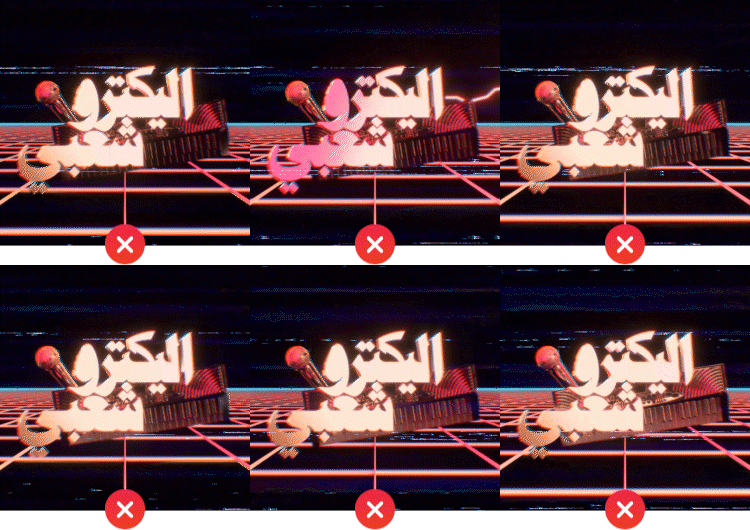
Use motion graphic animations in order to maintain a visual consistency between your album cover and motion art. To limit distractions, avoid using assets with an abundance of frenetic flashing.
Motion Graphics
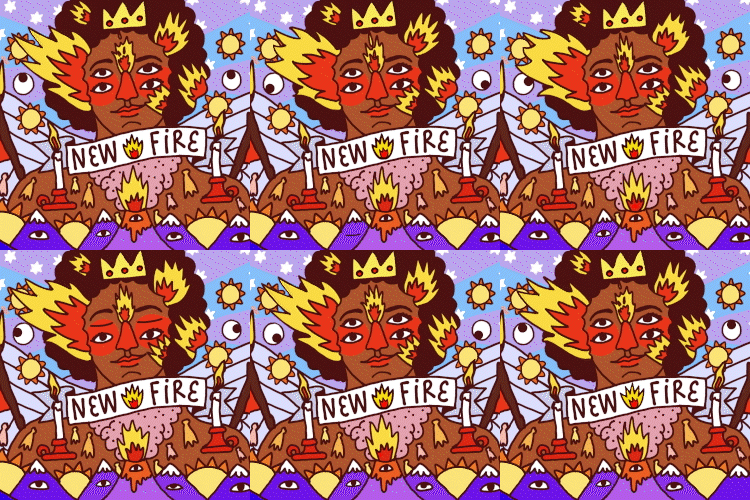
Motion graphic animation focuses on giving movement to graphic elements within the static frame. No static imagery or stills, unless it is actively integrated into the animation or used as source material within a motion-based technique.
Frenetic Flashing
Motion album covers are featured alongside album information and other visual content. Motion covers that are too frantic or use constant flashing could distract or even cause harm to viewers.
Example of what to avoid:
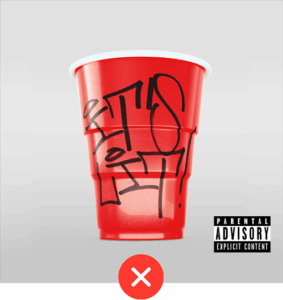
3. Parental Advisory
Artwork must not contain a parental advisory logo. The logo is no longer needed, as each song is marked “explicit” in the delivery’s metadata.
4. Looping Effects
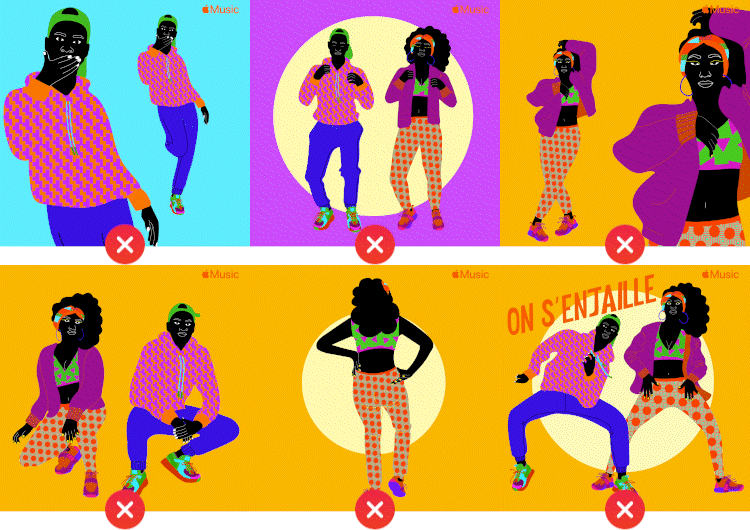
The audience should view the animation without a noticeable transition from ending to beginning. Therefore, the full animation sequence must be in a continuous loop.
Multiple Edits
Motion art must not contain multiple edits, as the animation should stay on album cover art.
5. Technical elements
Be aware of the following technical aspects when creating your motion artwork.
Drop Frame
Animation must not contain a drop frame or hold frame. Check the timeline and layers before transcoding to avoid this error.
Frame Edge
Motion cover art must not have a frame or border if the artwork does not fully fill the composition space.
Quality
Avoid scaling up the resolution from low-resolution files. This will cause art to appear pixelated or blurry. Instead, try to create assets from high-resolution source files so your artwork appears high quality on displays.
So lets summarise, Apple Album Motion artwork is a great way to make your music more interactive with your audience, but only if you do it right! That is why we have created VideoSuite (powered by Rotor Videos), so you can create unlimited drafts without purchase and get it just right before you purchase it!
Want to create Apple Music Album Motion artwork the easy way?
Create Apple Music Album Motion artwork in minutes with VideoSuite (powered by Rotor Videos), ensuring your visuals meet Apple’s standards and look polished every time. Learn more about VideoSuite.
Try VideoSuite and start creating.
—
About EmuBands
Formed in 2005, EmuBands is the trusted partner of thousands of artists, labels and managers across the world. With supercharged release features and expert support, we provide a low-cost solution to distribute your music, allowing you to retain control of your copyright and keep 100% of your royalties. Review our Pricing, Services, and Sign-Up today.