What is “Share to WhatsApp Status”?
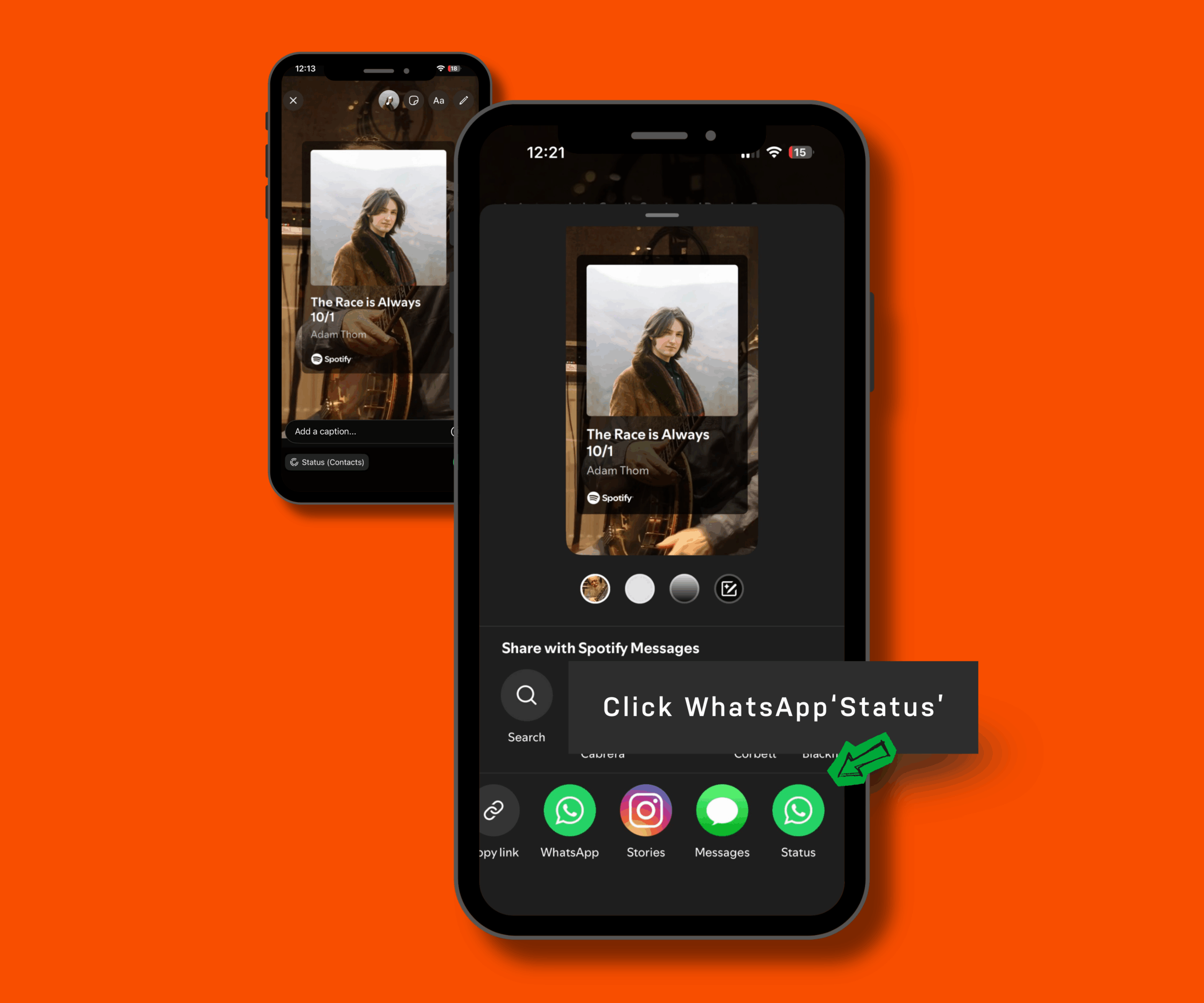
Spotify now lets listeners post what they are enjoying directly to their WhatsApp Status. This includes tracks, albums, playlists, podcasts, artist clips and audiobooks. Each share appears as a visual card featuring the title, cover art and an “Open on Spotify” link.
Do shared songs include audio?
Yes. When you share a track, viewers of your Status hear a short audio preview.
Who can use this feature?
Both Free and Premium users. Spotify has begun rolling it out globally.
How do I share to my WhatsApp Status?
- Choose a track, playlist, podcast, album, clip or audiobook on Spotify
- Tap Share
- Select WhatsApp Status
- Post the card preview to your Status
What does the Status card show?
- Artwork and title of the content
- Creator or artist name
- A direct “Open on Spotify” button
- An audio preview for songs
This makes it easier for friends, family and fans to tap through and start listening instantly.
How could artists benefit?
Audio previews encourage quick engagement, increasing the likelihood of tap-through plays
Amplify moments like new releases, catalogue anniversaries and tour pushes
Does sharing affect streams or royalties?
No. A share itself does not count as a stream. A stream would apply only when someone taps through and listens on their own Spotify account.
—
About EmuBands
Formed in 2005, EmuBands is the trusted partner of thousands of artists, labels and managers across the world. With supercharged release features and expert support, we provide a low-cost solution to distribute your music, allowing you to retain control of your copyright and keep 100% of your royalties. Review our Pricing, Services, and Sign-Up today.